
For your own training
Single user
Your workouts, gym setups and training history.
- Monthly
- €9.99 / month
- Yearly
- €99 / year
For ATLETICA home gym owners
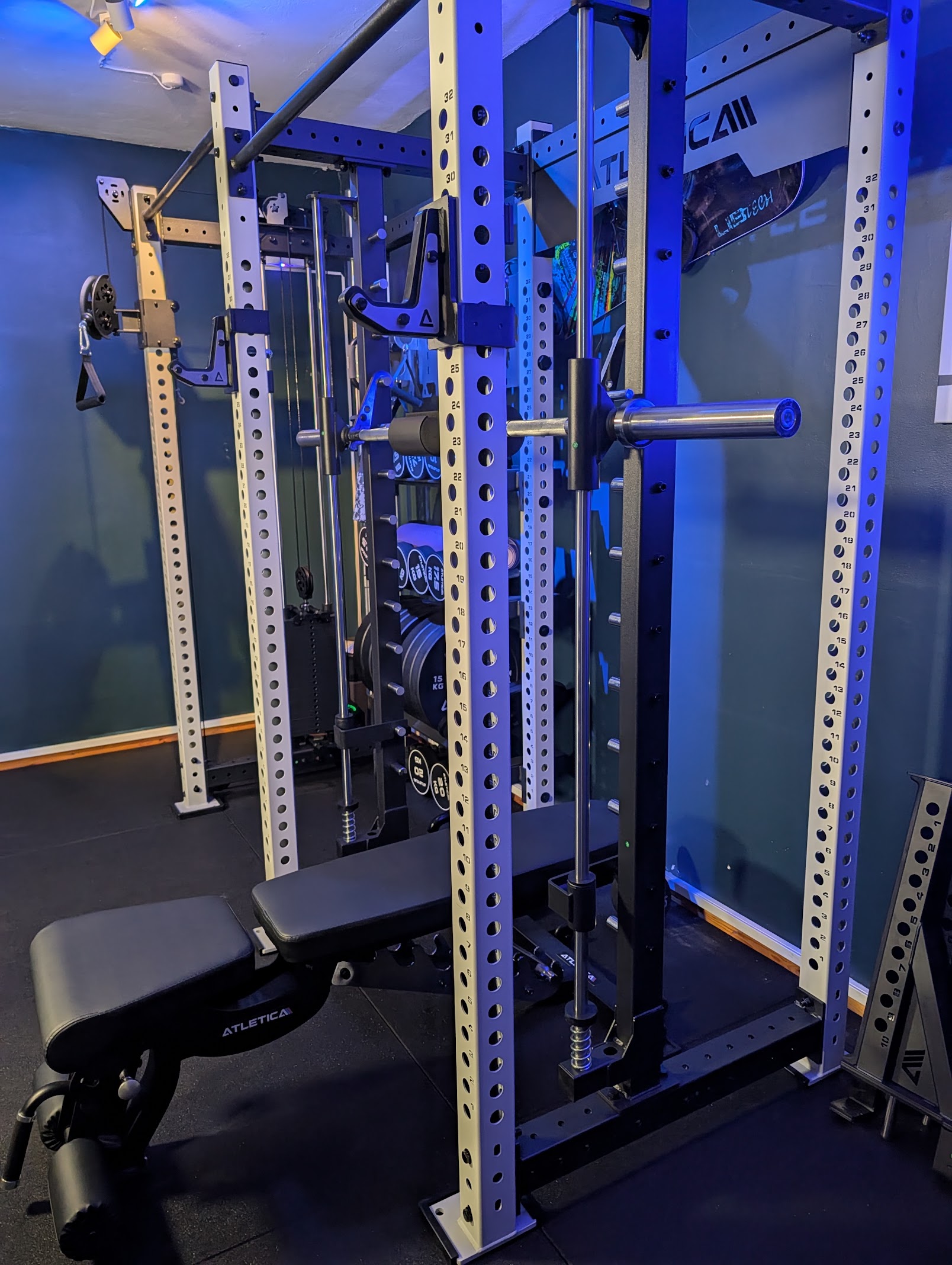
You chose the rack. You added the cables.
Now get a workout that puts them to use.
Outlift builds your strength sessions around the equipment you actually own, so you can walk into your home gym knowing what to train.
An independent training app. Made for the way you train at home.
Watch Outlift in actionWorkouts from your equipment
New sessions as your setup changes
Your training, recorded
See it before you start
Watch Outlift in action, then build a workout around your own equipment.
Why I built Outlift
“I bought the equipment expecting the app to work well with it. It didn’t. So I made Outlift.”
The missing part of your home gym
A multi-station opens up a lot of ways to train. Finding the right exercises, fitting them into your split and rewriting the session when your setup changes can still fall to you.
Beyond an equipment checkbox
The useful question is what your station lets you do.
Outlift checks the equipment a movement requires before it goes into your session. A two-cable movement needs a two-cable setup. A barbell exercise needs the bar and plates.
That matters when your ATLETICA station is the centre of your gym. You get a session built from its usable options, with gaps called out when your setup cannot train a target.
Set up my gym in OutliftWhy the details matter
Equipment requirements illustrated. Check your exact station and attachments when you set up your gym.
Your first session
Tell Outlift what you have and what you want to train. It puts the session together when you start.
Add the equipment in your room, including your station, bench, free weights and attachments. Check the coverage before you train.
Choose your training days and muscle groups. Keep the split you want without writing every exercise into every session.
Outlift chooses movements your setup supports and takes you through the session. Your completed sets become your training record.
Inside Outlift
The exercise, weight and reps are in front of you. Your job is the next set.
Follow the movement illustration, record what you lifted and move through your session. Afterwards, see the work you did and the days you missed.
When someone else uses the same rack, they can keep their own plan and history. Lifetime access and the shared subscription each include five users.
Build my ATLETICA workout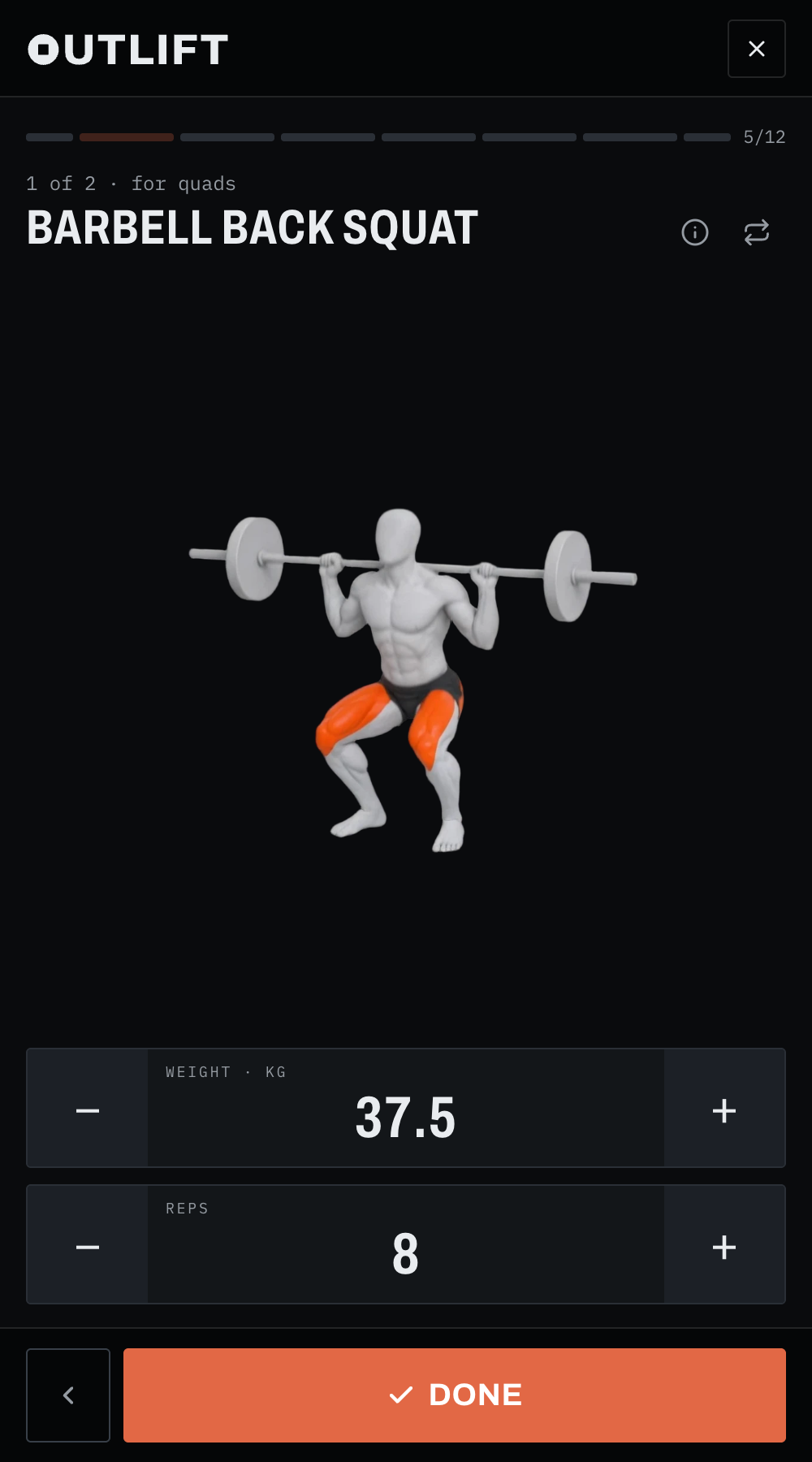
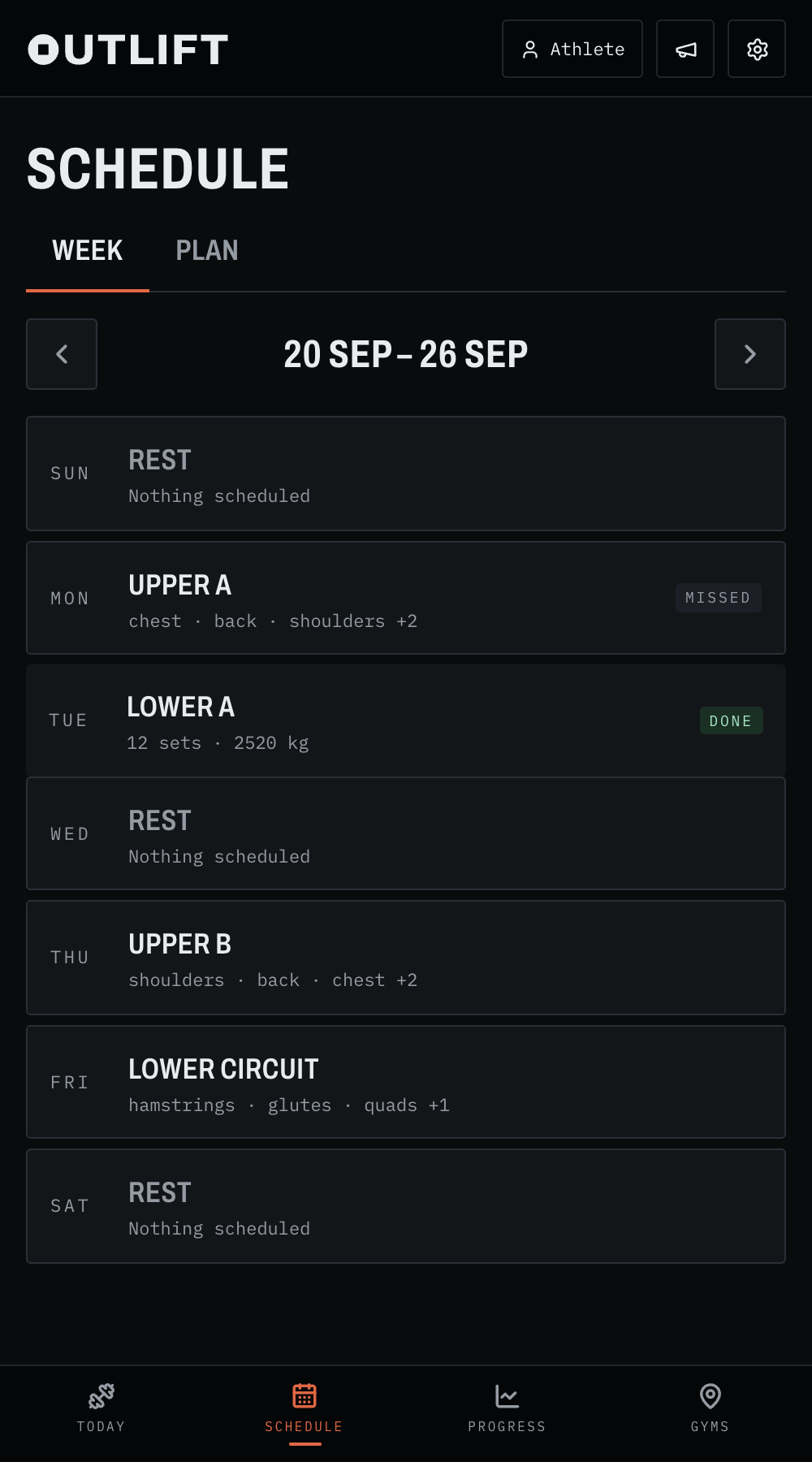
Recorded product screens with example account data.
Built with the people who train
Missing an exercise? Found a bug? Tell us on Featurebase. Request a feature, report an issue, vote on ideas and follow the public roadmap.
Train and plan in your own language. The app, the exercise library and the spoken instructions are available in German and Danish.
A native Outlift app for iPhone.
A native Outlift app for Android.
Bring your training history with you when you switch to Outlift.
Lifetime access
Your equipment was a long-term investment. Make Outlift part of your setup with a one-time purchase.
Build sessions around the equipment you own, keep your training history and use Outlift across the gyms you train in.
Launch offer · 50% off
€299€149.50
One payment. 5 users. No recurring subscription.
Get lifetime accessAccess for the lifetime of the Outlift product. Read the terms.
Prefer a subscription?
Pay monthly or yearly if you’d rather subscribe than buy lifetime access.
For your own training
Your workouts, gym setups and training history.
For the people you train with
Share the plan. Keep each person’s training separate.
All prices include VAT. Monthly plans are billed each month. Yearly plans are billed once a year. Choose your billing period in Outlift.
Before your first session
Put your setup to work
Start with the equipment already in your room.
Opens Outlift in your browser.